Definition and Usage
-webkit-line-clamp property restricts
text in an element to a set number of lines,
adding an ellipsis (...) at the end if the content exceeds the limit.
This property is highly useful for displaying a multi-line text ellipsis (...) using CSS.
Features
- This property functions when the
displayproperty of the element is set to-webkit-box, - and the
-webkit-box-orientproperty is set tovertical. - If the
overflowproperty of the element is set to a value other thanvisible, the text is truncated to the specified number of lines; otherwise, the text continues to be displayed even after the ellipsis (...) appears.
Understanding With a Demo
The following demo illustrates how to use the -webkit-line-clamp property to limit a text block to 3 lines.
div {
    max-width: 200px;
    border: 2px solid red;

    /* Required CSS to limit text to specified lines
       and display an ellipsis (...) */
    display: -webkit-box;
    -webkit-box-orient: vertical;
    overflow: hidden;
    -webkit-line-clamp: 3; /* Number of lines to display */
}<div>
The -webkit-line-clamp property restricts a text block to a specified number of lines.
This property functions when the display property of the element is set to -webkit-box
and the -webkit-box-orient property is set to vertical.
If the text exceeds the specified number of lines, an ellipsis (...) is displayed.
When the overflow property of the element is set to a value other than visible,
the text is truncated to the specified number of lines;
otherwise, the text continues to be displayed even after the ellipsis appears.
</div>Understanding the -webkit-line-clamp property makes it easy to see how to limit text to a set number of lines and display an ellipsis (...).
"Clamp, to Hold Tight!"
The term clamp in the -webkit-line-clamp property name originally refers to a tool used to hold objects firmly in place.
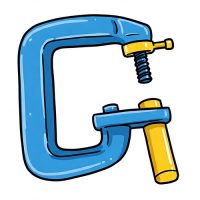
The image above illustrates a clamp, a tool designed to hold objects securely in place.
Similarly, the CSS -webkit-line-clamp property acts to "clamp" text so it does not exceed a specified number of lines.
In other words, just as a clamp secures an object, this property "clamps" the text to keep it confined to a limited number of lines.
Viewing Various Demos
The following demos show different ways to use the -webkit-line-clamp property.
-webkit-line-clamp
<style>
    p {
        max-width: 400px;
        border: 2px solid red;
    }
</style>
<div>
    <h2>Demo - 1</h2>
    <style>
        .demo-1 {
            -webkit-line-clamp: 2;
        }
    </style>
    <p class="demo-1">
        The -webkit-line-clamp property restricts a text block to a specified number of lines.
        This property functions when the display property of the element is set to -webkit-box
        and the -webkit-box-orient property is set to vertical.
        If the text exceeds the specified number of lines, an ellipsis (...) is displayed.
        When the overflow property of the element is set to a value other than visible,
        the text is truncated to the specified number of lines;
        otherwise, the text continues to be displayed even after the ellipsis appears.
    </p>
</div>
<div>
    <h2>Demo - 2</h2>
    <style>
        .demo-2 {
            display: -webkit-box;
            -webkit-box-orient: vertical;
            -webkit-line-clamp: 2;
            overflow: auto;
        }
    </style>
    <p class="demo-2">
        The -webkit-line-clamp property restricts a text block to a specified number of lines.
        This property functions when the display property of the element is set to -webkit-box
        and the -webkit-box-orient property is set to vertical.
        If the text exceeds the specified number of lines, an ellipsis (...) is displayed.
        When the overflow property of the element is set to a value other than visible,
        the text is truncated to the specified number of lines;
        otherwise, the text continues to be displayed even after the ellipsis appears.
    </p>
</div>
<div>
    <h2>Demo - 3</h2>
    <style>
        .demo-3 {
            display: -webkit-box;
            -webkit-box-orient: vertical;
            -webkit-line-clamp: 3;
            overflow: hidden;
        }
    </style>
    <p class="demo-3">
        The -webkit-line-clamp property restricts a text block to a specified number of lines.
        This property functions when the display property of the element is set to -webkit-box
        and the -webkit-box-orient property is set to vertical.
        If the text exceeds the specified number of lines, an ellipsis (...) is displayed.
        When the overflow property of the element is set to a value other than visible,
        the text is truncated to the specified number of lines;
        otherwise, the text continues to be displayed even after the ellipsis appears.
    </p>
</div>
<div>
    <h2>Demo - 4</h2>
    <style>
        .demo-4 {
            display: -webkit-box;
            -webkit-box-orient: vertical;
            -webkit-line-clamp: 3;
            overflow: visible;
        }
    </style>
    <p class="demo-4">
        The -webkit-line-clamp property restricts a text block to a specified number of lines.
        This property functions when the display property of the element is set to -webkit-box
        and the -webkit-box-orient property is set to vertical.
        If the text exceeds the specified number of lines, an ellipsis (...) is displayed.
        When the overflow property of the element is set to a value other than visible,
        the text is truncated to the specified number of lines;
        otherwise, the text continues to be displayed even after the ellipsis appears.
    </p>
</div>Demo - 1
The -webkit-line-clamp property restricts a text block to a specified number of lines. This property functions when the display property of the element is set to -webkit-box and the -webkit-box-orient property is set to vertical. If the text exceeds the specified number of lines, an ellipsis (...) is displayed. When the overflow property of the element is set to a value other than visible, the text is truncated to the specified number of lines; otherwise, the text continues to be displayed even after the ellipsis appears.
Demo - 2
The -webkit-line-clamp property restricts a text block to a specified number of lines. This property functions when the display property of the element is set to -webkit-box and the -webkit-box-orient property is set to vertical. If the text exceeds the specified number of lines, an ellipsis (...) is displayed. When the overflow property of the element is set to a value other than visible, the text is truncated to the specified number of lines; otherwise, the text continues to be displayed even after the ellipsis appears.
Demo - 3
The -webkit-line-clamp property restricts a text block to a specified number of lines. This property functions when the display property of the element is set to -webkit-box and the -webkit-box-orient property is set to vertical. If the text exceeds the specified number of lines, an ellipsis (...) is displayed. When the overflow property of the element is set to a value other than visible, the text is truncated to the specified number of lines; otherwise, the text continues to be displayed even after the ellipsis appears.
Demo - 4
The -webkit-line-clamp property restricts a text block to a specified number of lines. This property functions when the display property of the element is set to -webkit-box and the -webkit-box-orient property is set to vertical. If the text exceeds the specified number of lines, an ellipsis (...) is displayed. When the overflow property of the element is set to a value other than visible, the text is truncated to the specified number of lines; otherwise, the text continues to be displayed even after the ellipsis appears.
Setting a single-line text ellipsis (...) is useful with the text-overflow property.
Formal syntax
selector {
    display: -webkit-box;
    -webkit-box-orient: vertical;
    -webkit-line-clamp: /* value */;
}
Values
none |
Initial value.
The text is not limited to a specified number of lines, and no ellipsis is displayed. This value is supported only in some browsers. |
|---|---|
Positive Integer |
Specifies the number of lines to display. This value must be greater than 0.
If the text exceeds the specified number of lines, an ellipsis is displayed at the end of the last line.
The ellipsis is the horizontal ellipsis character (..., U+2026). |
Syntax
/* Initial value – Check browser compatibility */
-webkit-line-clamp: none;

/* Positive integers (greater than 0) */
-webkit-line-clamp: 2;
-webkit-line-clamp: 5;

/* Global values */
-webkit-line-clamp: inherit;
-webkit-line-clamp: initial;
-webkit-line-clamp: revert;
-webkit-line-clamp: revert-layer;
-webkit-line-clamp: unset;
Formal definition
| Initial value | none |
|---|---|
| Applies to | Block containers except multi-column containers |
| Inherited | no |
Things to Keep in Mind
There are two key points to be aware of when implementing the -webkit-line-clamp property.
The display: -webkit-box and -webkit-box-orient: vertical Properties Must Be Set
The -webkit-line-clamp property functions only when display: -webkit-box and -webkit-box-orient: vertical are applied. This property will not work if these two properties are not set for the element.
p {
    max-width: 400px;
    border: 2px solid red;
    overflow: visible;
    -webkit-line-clamp: 2;
    /* display: -webkit-box and
       -webkit-box-orient: vertical are not applied here. */
}<p>
The -webkit-line-clamp property restricts a text block to a specified number of lines.
This property functions when the display property of the element is set to -webkit-box
and the -webkit-box-orient property is set to vertical.
If the text exceeds the specified number of lines, an ellipsis (...) is displayed.
When the overflow property of the element is set to a value other than visible,
the text is truncated to the specified number of lines;
otherwise, the text continues to be displayed even after the ellipsis appears.
</p>The -webkit-line-clamp property works only when display: -webkit-box and -webkit-box-orient: vertical are applied. This property will not work if these two properties are not applied to the element.
The -webkit-line-clamp property restricts a text block to a specified number of lines. This property functions when the display property of the element is set to -webkit-box and the -webkit-box-orient property is set to vertical. If the text exceeds the specified number of lines, an ellipsis (...) is displayed. When the overflow property of the element is set to a value other than visible, the text is truncated to the specified number of lines; otherwise, the text continues to be displayed even after the ellipsis appears.
Set the overflow Property to a Value Other Than visible
If the element's overflow property is set to a value other than visible (such as hidden, auto, or scroll), the text will be truncated to the specified number of lines. Otherwise, the text will continue to be displayed even after the ellipsis (...) appears.
The following example shows how the text continues to be displayed after the ellipsis (...) because the overflow property is incorrectly set to visible.
p {
    max-width: 400px;
    border: 2px solid red;
    display: -webkit-box;
    -webkit-box-orient: vertical;
    -webkit-line-clamp: 2;

    /* The text continues to be displayed
       even after the ellipsis (...) appears. */
    overflow: visible;
}<p>
The -webkit-line-clamp property restricts a text block to a specified number of lines.
This property functions when the display property of the element is set to -webkit-box
and the -webkit-box-orient property is set to vertical.
If the text exceeds the specified number of lines, an ellipsis (...) is displayed.
When the overflow property of the element is set to a value other than visible,
the text is truncated to the specified number of lines;
otherwise, the text continues to be displayed even after the ellipsis appears.
</p>The text continues to be displayed even after the ellipsis (...) appears.
The -webkit-line-clamp property restricts a text block to a specified number of lines. This property functions when the display property of the element is set to -webkit-box and the -webkit-box-orient property is set to vertical. If the text exceeds the specified number of lines, an ellipsis (...) is displayed. When the overflow property of the element is set to a value other than visible, the text is truncated to the specified number of lines; otherwise, the text continues to be displayed even after the ellipsis appears.
Additional Explanation
The -webkit-line-clamp property is a non-standard property, and the CSS specification defines the standard line-clamp property as its replacement. Internally, line-clamp is a shorthand property that includes max-lines and block-overflow. However, since it is currently not supported by most browsers, -webkit-line-clamp is still used in practice.
Browser compatibility
Last updated:
| Property and Value |
Desktop Chrome

|
DesktopDesktop Edge

|
Desktop Firefox

|
Safari

|
|---|---|---|---|---|
-webkit-line-clamp
|
6 | 17 | 68 | 5 |
none |
No | No | 68 | 18.2 |
Specifications
| Specification | |
|---|---|
-webkit-line-clamp
|
CSS Overflow Module Level 4 #propdef--webkit-line-clamp |